Taxi Cab Receipt Generator
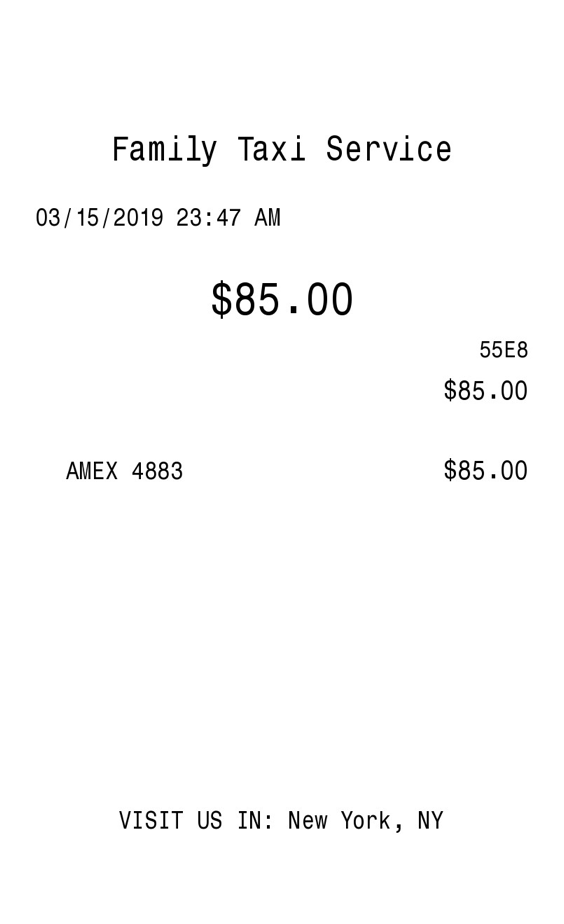
One cab fare, the company name, and how the passenger paid. No item list and no logo.
Enter Receipt Details
What information you can enter on this Taxi Cab Receipt Generator template:
- Company Company name, street, one city and state line, phone, date, and time. The street and the phone are on the form. This receipt does not print them. The city prints at the bottom.
- Fare One amount and a currency symbol. Date and time share one line under the company name.
- Money A tax label and percent, and a payment line you type. Five font styles sit above the fields. Amounts use a period. The euro checkbox is on the form and does not change that.
How the sample is arranged
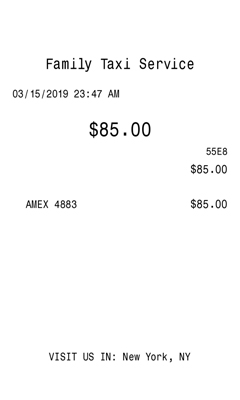
The sample centers the company name, then the date and time on one line, then a large fare. A short code and the fare sit on the right. The payment line is on the left with the fare again on the right. The bottom line reads “Visit us in” and the city.
How the amounts are worked out
Choose No tax, or leave the percent at 0, and the fare is the total. Any other label adds that percent into the fare that prints. There is no separate tax line. A short transaction code is filled in. An approval code is not printed.
How to make this receipt
- Enter the company name and the city and state.
- Type the fare and choose a tax label and percent, or choose No tax.
- Type how it was paid, then make the receipt and download the JPG or PDF.
Membership and download
This is a Standard template. A current Standard or PRO membership removes the membership watermark. If you are not signed in, the receipt still shows that watermark. After you make the receipt, the page offers a JPG download and a PDF of that same image.
Other templates
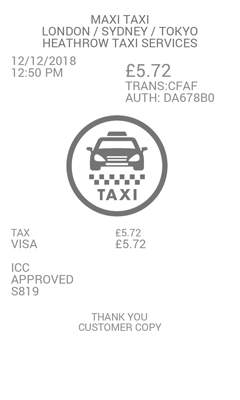
- Transportation Receipt The company, street, and city at the top, a taxi mark, and a tax line under the fare.
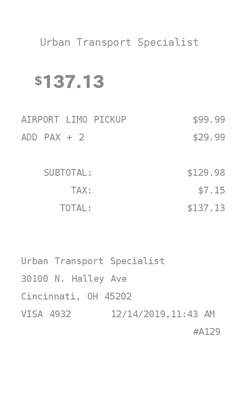
- Transportation Taxi A list of charges instead of one fare, with the address repeated at the bottom.